 CARLOS DIEGO C. P.
Technical Post · Amazon Web Services
Implementing a Multi-Tenant Data Structure in DynamoDB for Your SaaS Application
Amazon DynamoDB is a popular choice among developers looking for a scalable, low-latency NoSQL database for their…
Keywords
Amazon DynamoDB is a popular choice among developers looking for a scalable, low-latency NoSQL database for their applications. When it comes to building a multi-tenant Software as a Service (SaaS) application, choosing the right data structure in DynamoDB is crucial to ensure data isolation, scalability and performance. In this article, we'll take a deep dive into implementing a multi-tenant data structure with DynamoDB and Terraform, covering the technical aspects that are essential to your project's success.
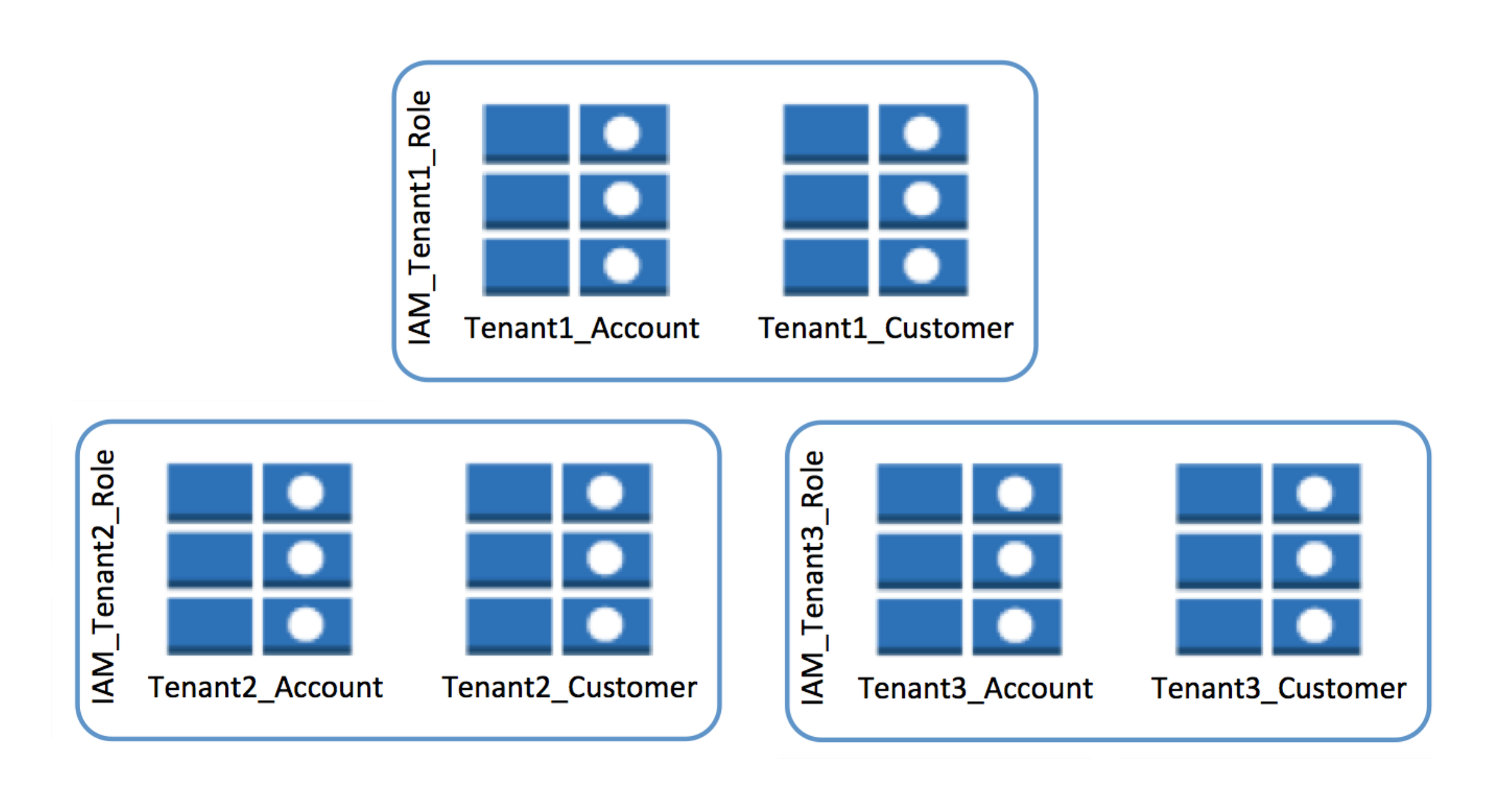
Understanding the Need for Multi-Tenancy
Before we get into the technical details, it's important to understand why a multi-tenant approach is needed. In a SaaS application, you serve multiple customers, each with their own data and access requirements. A multi-tenant structure ensures each customer's data is kept separate, guaranteeing privacy and isolation.
Designing the Table Structure in DynamoDB
Let's dig deeper into the table structure mentioned above, using the example of a SaaS project management system:
- PK (Partition Key):
<TenantID>#<ProjectID> - SK (Sort Key):
<TaskID>
Here's a practical example:
- PK:
tenant123#project456 - SK:
task789
In this example, TenantID identifies the tenant (customer), ProjectID identifies a specific project and TaskID is used to identify tasks within the project. This structure lets you quickly retrieve all the tasks for a specific project or all the tasks for a tenant.
Implementing with Terraform
Now let's get into the technical details of the implementation with Terraform. First, you need to define the AWS provider and then create the DynamoDB table:
provider "aws" {
  region = "us-east-1"  # Substitua pela sua região desejada
}
resource "aws_dynamodb_table" "saas_table" {
  name           = "saas_multitenant_table"
  billing_mode   = "PAY_PER_REQUEST"
  hash_key       = "PK"
  range_key      = "SK"
  attribute {
    name = "PK"
    type = "S"
  }
  attribute {
    name = "SK"
    type = "S"
  }
}
The real implementation, however, is more complex than that. To optimize data access, you may need global secondary indexes (GSIs). These let you query data by keys other than the primary key. For example, you can create a GSI to retrieve tasks by ProjectID. Here's an example of how to create a GSI in Terraform:
resource "aws_dynamodb_global_table" "saas_global_index" {
  name = "saas_global_index"
  hash_key             = "ProjectID"
  range_key            = "SK"
  write_capacity       = 5
  read_capacity        = 5
  hash_key_type        = "S"
  range_key_type       = "S"
  replica {
    region_name = "us-west-2"
  }
  replica {
    region_name = "eu-west-1"
  }
}
Managing Data Access
In a multi-tenant context, data access control is critical. You can use AWS authentication and authorization to make sure each tenant accesses only its own data. Also consider using features such as IAM (Identity and Access Management) policies and Amazon Cognito for secure end-user authentication.
Conclusion
Designing and implementing a multi-tenant data structure in Amazon DynamoDB is a crucial step when building a SaaS application. Understanding the technical aspects of the table structure, working with global secondary indexes and managing data access are essential steps to ensure your application's scalability, security and efficiency.
This article offered an in-depth look at the implementation, but keep in mind that needs vary from project to project. Ongoing exploration, refining the structure and adapting to your application's changing demands will ensure you're building a solid foundation for the continued success of your multi-tenant SaaS application.
Comments
Every comment is moderated before it appears here. Nothing is published automatically.
Loading…