 CARLOS DIEGO C. P.
Technical Post · Amazon Web Services
Creating an MFA-based access restriction policy for IAM users
In this post, we'll see how to create a multi-factor authentication (MFA) condition policy to restrict access to AWS services for…
Keywords
In this post, we'll see how to create a multi-factor authentication (MFA) condition policy to restrict access to AWS services for AWS Identity and Access Management (IAM) users. The policy works with both the AWS Management Console and the AWS Command Line Interface (AWS CLI).
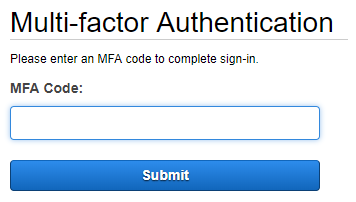
Creating an MFA-based access restriction policy for IAM users
- Create the “BlockMostAccessUnlessSignedInWithMFA” policy with the manifest below:
{
   “Version”: “2012–10–17”,
   “Statement”:
   [
      {
          “Sid”: “BlockMostAccessUnlessSignedInWithMFA”,
          “Effect”: “Deny”,
          “NotAction”:
          [
             “iam:CreateVirtualMFADevice”,
             “iam:DeleteVirtualMFADevice”,
             “iam:ListVirtualMFADevices”,
             “iam:EnableMFADevice”,
             “iam:ResyncMFADevice”,
             “iam:ListAccountAliases”,
             “iam:ListUsers”,
             “iam:ListSSHPublicKeys”,
             “iam:ListAccessKeys”,
             “iam:ListServiceSpecificCredentials”,
             “iam:ListMFADevices”,
             “iam:GetAccountSummary”,
             “sts:GetSessionToken”
          ],
          “Resource”: “*”,
          “Condition”:
          {
             “Bool”:
             {
                 “aws:MultiFactorAuthPresent”: “false”
             }
          }
      }
   ]
}- Attach this policy to all IAM groups currently in use. This way, MFA becomes mandatory for every IAM user.
Considerations for using MFA with the AWS CLI
The MultiFactorAuthPresent key applies only to temporary security credentials that verify whether MFA was used. The MultiFactorAuthPresent key does not deny access to requests made with long-term credentials or to MFA requests made with the AWS CLI.
IAM users who use the AWS Management Console generate temporary credentials and are allowed access only if MFA is used.
The Bool condition operator lets you restrict access with a key value set to true or false . You can add the BoolIfExists condition operator to check whether the MultiFactorAuthPresent key is present in the request. If the MultiFactorAuthPresent key is not present, IfExists evaluates the condition element as true, similar to the following:
“Effect” : “Deny”,
“Condition” : { “BoolIfExists” : { “aws:MultiFactorAuthPresent” : “false” } }
IAM users who use the AWS CLI with long-term credentials are denied access and must use MFA to authenticate.
See you in the next post! =)
Comments
Every comment is moderated before it appears here. Nothing is published automatically.
Loading…