 CARLOS DIEGO C. P.
Technical Post · Amazon Web Services
Event-Driven Architecture (EDA) and How to Implement It on AWS
Event-driven architectures (Event-Driven Architecture, or EDA) are a style of software architecture in which systems react to…
Keywords
Event-driven architectures (Event-Driven Architecture, or EDA) are a style of software architecture in which systems react to events instead of traditional service calls. An “event” can be any significant change in state, such as a new record being created in a database, a financial transaction going through or even a user action on a website.
The main difference between an event-driven architecture and a traditional microservices architecture is that, instead of making direct calls between components, each component reacts asynchronously to events sent by other systems. This makes it possible to build scalable, decoupled and highly responsive systems.
Core components of an event-driven architecture
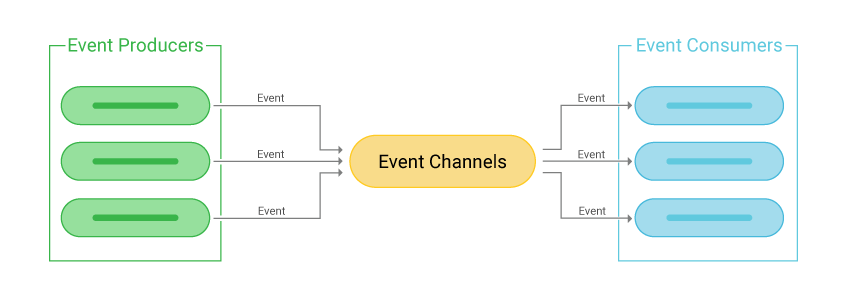
An event-driven architecture is made up of several fundamental elements that work together to let different systems communicate in a decoupled, efficient way. These components play distinct roles in an event's lifecycle, from the moment it's generated to its final processing. Let's look at each of these components in more detail:
1. Event Producer (Event Producer)
The event producer is where an event originates. It's responsible for detecting a significant change in state or an action within a system and, based on that, generating an event. The nature of the change can vary widely: it could be a new record in a database, an update to a purchase order, a financial transaction or even a user action, such as clicking a button in a web interface.
Practical example: Imagine an e-commerce system where the user completes a purchase. At that moment, the order system (the event producer) generates an “Order Created” event, which will be sent to other components interested in it, such as the payment or inventory system.
The event producer doesn't need to know who will consume the event or what will be done with it. Its only responsibility is to publish that the action happened.
2. Event Channel (Event Channel)
The event channel is the transport that connects event producers to event consumers. It acts as a communication system that makes sure generated events reach their destinations reliably and efficiently. The event channel can take several forms, depending on the technology used. The most common examples include:
- Message queues: Systems such as Amazon SQS store events temporarily, so consumers can process them when they're ready.
- Data streams: Services such as Amazon Kinesis or Apache Kafka are used to stream large volumes of events in real time.
The event channel is key to keeping components decoupled, letting producers and consumers run independently, at different times and at different scales.
3. Event Consumer (Event Consumer)
The event consumer is the component that receives the event sent through the event channel and processes it according to the defined business logic. A consumer can take a series of actions in response to the event it received. Depending on the system, it might:
- Update a database.
- Send an email notification.
- Call a third-party API.
- Trigger new events in response.
Practical example: Going back to the e-commerce example, the inventory system could be an event consumer. As soon as it receives the “Order Created” event, it can adjust the quantity of products in stock.
Event consumers can be implemented as microservices, serverless functions (such as AWS Lambda) or even full applications. Like producers, they're completely independent and can be scaled as needed.
4. Event Processor (Event Processor)
The event processor is a specialized component that receives the event and performs processing on it, transforming the incoming data or kicking off new operations. Although the event consumer and the event processor can be the same component in some cases, the processor is usually seen as a service that performs more complex data manipulation. This can include:
- Data transformation: Changing the format of the data so it's ready for use in other systems.
- Event filtering: Ignoring events that aren't relevant or applicable.
- Process orchestration: Triggering other events or tasks in sequence, as needed.
Practical example: In the e-commerce example, the event processor could be a service that, on receiving the “Order Created” event, extracts customer information and transforms it so the CRM (Customer Relationship Management) system can use it for marketing.
Implementing an Event-Driven Architecture on AWS
Implementing an Event-Driven Architecture (EDA) on AWS is made easier by a wide range of services that support asynchronous, scalable communication between components. One of the main services for managing events is Amazon EventBridge, which acts as an event bus, letting events be routed efficiently between different services and applications. With it, you can set up rules that define how events are distributed, making sure they're processed by the right systems. Amazon SNS (Simple Notification Service) and Amazon SQS (Simple Queue Service) provide publish-subscribe messaging and message queues for scenarios where producers and consumers need to be decoupled, giving you more control over the flow of events and ensuring high availability.
AWS also offers serverless processing services such as AWS Lambda, which runs code automatically in response to events, with no need to provision or manage servers. Lambda can be configured to be triggered by a variety of events, such as database changes, updates to Amazon S3 buckets or even events generated by Amazon EventBridge. This way, developers can focus on business logic without worrying about the underlying infrastructure. Combining Lambda with SNS, SQS or EventBridge offers a scalable, efficient solution for processing large volumes of events in a distributed way.
Beyond real-time event processing, AWS also offers solutions for storing and analyzing historical events. Services such as Amazon Kinesis enable real-time collection, processing and analysis of large data streams, while AWS Glue and Amazon Athena make it easy to prepare and query stored data to generate insights later on. These services make it possible to build complete event-driven architectures, covering everything from generating and transporting events to processing and analyzing them.
Example Scenario
Imagine you have an order processing system in which, after a customer places an order, several services need to be notified, such as the payment system, inventory and email notification. An event-driven architecture could coordinate these processes.
System Architecture
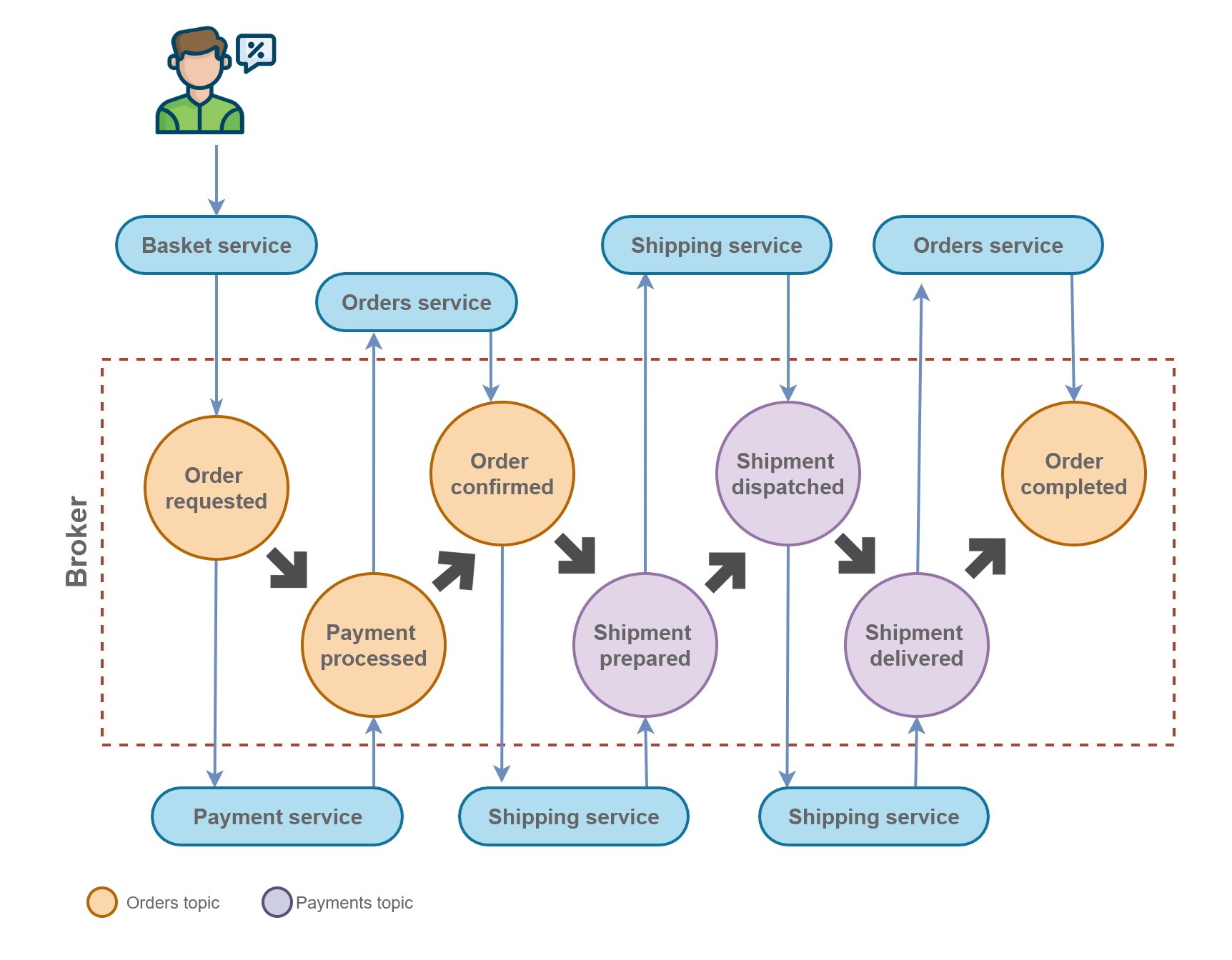
1. Event Producer
- The event producer will be the order creation service. As soon as an order is created, an “Order Created” event will be generated.
2. Event Channel
- The event channel will be managed by Amazon EventBridge, which will distribute events to the different interested services.
3. Event Consumer
The consumers will be:
- Payment System: Processes the payment.
- Inventory System: Checks product availability.
- Notification Service: Sends the customer a confirmation email.
Example Architecture
- The customer places an order.
- The order service emits an “Order Created” event to Amazon EventBridge.
- Amazon EventBridge distributes this event to different consumers: Lambda functions to process the payment, update inventory and send an email notification.
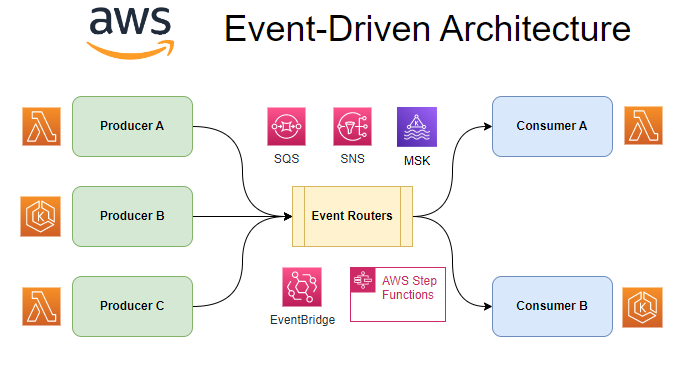
Now let's implement this architecture using Terraform to provision the AWS resources.
1. Defining Amazon EventBridge
provider "aws" {
  region = "us-east-1"
}

resource "aws_cloudwatch_event_bus" "order_event_bus" {
  name = "order_event_bus"
}
2. Defining the rule for the event
resource “aws_cloudwatch_event_rule” “order_created_rule” {
 name = “order_created”
 event_bus_name = aws_cloudwatch_event_bus.order_event_bus.name
 event_pattern = <<PATTERN
{
 “source”: [“myapp.order”],
 “detail-type”: [“Order Created”]
}
PATTERN
}
3. Creating the Lambda functions
resource “aws_lambda_function” “process_payment” {
 function_name = “process_payment”
 handler = “payment.handler”
 runtime = “nodejs14.x”
 role = aws_iam_role.lambda_exec.arn
 filename = “lambda_functions/payment.zip”
}

resource “aws_lambda_function” “update_inventory” {
 function_name = “update_inventory”
 handler = “inventory.handler”
 runtime = “nodejs14.x”
 role = aws_iam_role.lambda_exec.arn
 filename = “lambda_functions/inventory.zip”
}

resource “aws_lambda_function” “send_email” {
 function_name = “send_email”
 handler = “email.handler”
 runtime = “nodejs14.x”
 role = aws_iam_role.lambda_exec.arn
 filename = “lambda_functions/email.zip”
}
4. Creating the rule targets in EventBridge
resource “aws_cloudwatch_event_target” “payment_target” {
 rule = aws_cloudwatch_event_rule.order_created_rule.name
 target_id = “process_payment”
 arn = aws_lambda_function.process_payment.arn
}

resource “aws_cloudwatch_event_target” “inventory_target” {
 rule = aws_cloudwatch_event_rule.order_created_rule.name
 target_id = “update_inventory”
 arn = aws_lambda_function.update_inventory.arn
}

resource “aws_cloudwatch_event_target” “email_target” {
 rule = aws_cloudwatch_event_rule.order_created_rule.name
 target_id = “send_email”
 arn = aws_lambda_function.send_email.arn
}- Permissions for Lambda to receive events
resource “aws_lambda_permission” “allow_eventbridge_invocation_payment” {
 statement_id = “AllowExecutionFromEventBridge”
 action = “lambda:InvokeFunction”
 function_name = aws_lambda_function.process_payment.function_name
 principal = “events.amazonaws.com”
 source_arn = aws_cloudwatch_event_rule.order_created_rule.arn
}

resource “aws_lambda_permission” “allow_eventbridge_invocation_inventory” {
 statement_id = “AllowExecutionFromEventBridge”
 action = “lambda:InvokeFunction”
 function_name = aws_lambda_function.update_inventory.function_name
 principal = “events.amazonaws.com”
 source_arn = aws_cloudwatch_event_rule.order_created_rule.arn
}

resource “aws_lambda_permission” “allow_eventbridge_invocation_email” {
 statement_id = “AllowExecutionFromEventBridge”
 action = “lambda:InvokeFunction”
 function_name = aws_lambda_function.send_email.function_name
 principal = “events.amazonaws.com”
 source_arn = aws_cloudwatch_event_rule.order_created_rule.arn
}
As we've seen, the Terraform implementation we built creates an event-driven architecture on AWS, using Amazon EventBridge and AWS Lambda functions to process the events. This approach yields a scalable, resilient and decoupled solution, ideal for modern systems that need to respond to events in real time. AWS offers a range of tools that make it easier to build event-driven solutions, and services such as SNS, SQS, EventBridge and Lambda play crucial roles in creating efficient EDA architectures.
See you in the next post! =)
Comments
Every comment is moderated before it appears here. Nothing is published automatically.
Loading…